
You handle the wires. The AI handles the code.
ArduinoVision is a real-time AI coding agent for Arduino. Point a camera at your breadboard, describe what you want to build, and the agent writes the code, compiles it, and uploads it directly to your board. No IDE. No copy-paste. No guessing pin numbers.
Built for the Vision Possible: Agent Protocol hackathon by WeMakeDevs.
- Connect your components physically to the Arduino
- Start the agent and open the VisionAgents demo interface
- Show the camera your setup and describe what you want
- The agent sees the wiring, writes the correct code, and uploads it
You never touch an IDE. The agent handles everything from writing to uploading.
- Python 3.12+
- uv package manager
- Arduino CLI
- Arduino board connected via USB
git clone https://github.com/mutaician/arduino-vision
cd video-agent
Install Arduino CLI and the AVR core:
curl -fsSL https://raw.githubusercontent.com/arduino/arduino-cli/master/install.sh | BINDIR=~/.local/bin sh
arduino-cli core update-index
arduino-cli core install arduino:avr
Install Python dependencies:
uv syncCreate a .env file with your API keys:
STREAM_API_KEY=your_stream_api_key
STREAM_API_SECRET=your_stream_api_secret
OPENAI_API_KEY=your_openai_api_key
Get your Stream keys at dashboard.getstream.io and your OpenAI key at platform.openai.com.
uv run main.py runIt will automatically open demo interface on the browser, allow camera and microphone access, and start talking to the agent.
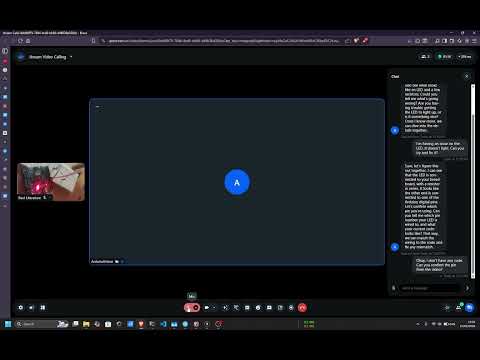
If you are running WSL on Windows, the Arduino USB port needs to be forwarded from Windows into WSL. Run these commands in a Windows terminal (PowerShell or CMD) each time you plug in the board:
usbipd list
usbipd bind --busid <busid>
usbipd attach --wsl --busid <busid>
Replace <busid> with the ID shown for your Arduino (e.g. 2-6).
After attaching, fix port permissions inside WSL once per session:
sudo chmod a+rw /dev/ttyUSB0For a permanent fix that survives reconnects and restarts:
sudo cp 99-usb-serial.rules /etc/udev/rules.d/
sudo udevadm control --reload-rules && sudo udevadm trigger| Tool | What It Does |
|---|---|
list_boards |
Detect connected Arduino boards and ports |
write_code |
Write an Arduino sketch to disk |
compile_code |
Compile the sketch via arduino-cli |
upload_code |
Upload compiled sketch to the board |
serial_monitor |
Read serial output for debugging |
deploy_code |
Write + compile + upload in one step |
video-agent/
├── main.py              # Agent entry point (VisionAgents)
├── arduino_tools.py     # Arduino CLI wrapper
├── sketches/            # Arduino sketches
└── .env                 # API keys (create this)
- VisionAgents SDK - real-time video AI agent framework
- Stream - WebRTC video/audio transport
- OpenAI Realtime API - speech-to-speech with live video understanding
- Arduino CLI - programmatic compile and upload